A Coordinated Electric System Interconnection Review—the utility’s deep-dive on technical and cost impacts of your project.
Challenge: Frequent false tripping using conventional electromechanical relays
Solution: SEL-487E integration with multi-terminal differential protection and dynamic inrush restraint
Result: 90% reduction in false trips, saving over $250,000 in downtime
The three operating regions you have to design to
| Device | Output vs voltage | Response | Best suited to | Main limitations |
|---|---|---|---|---|
| Mechanically switched capacitor or reactor | Proportional to voltage squared | Seconds; discrete steps; limited switching operations per day | Steady-state reactive supply, voltage profile, loss reduction | No dynamic capability; step voltage change on switching; capability collapses when most needed |
| Static var compensator | Capacitive branches proportional to voltage squared | A few cycles; continuously controllable | Continuous control where cost matters and deep voltage support is not the driver | Square-law capability loss; harmonic filters are part of the plant and interact with the network |
| STATCOM | Approximately proportional to voltage — constant current capability | One to two cycles closed loop; converter response faster still | Voltage stability margin, weak interconnections, fast disturbance recovery, flicker and unbalance compensation | Higher capital cost; converter losses; adds a converter and its control dynamics to the network |
| Synchronous condenser | Governed by machine capability and excitation | Excitation response in the hundreds of milliseconds; inherent inertial response instantaneous | System strength and inertia, short-circuit contribution, black start support | Rotating plant with maintenance and losses; slower controlled response than a converter |
| STATCOM with energy storage | Reactive as a STATCOM, plus real power within the storage rating | As STATCOM for reactive; real power limited by storage | Where a real power deficiency is part of the problem | Cost and complexity of the storage; different failure and maintenance profile |
| Stage | Keentel scope | Outcome |
|---|---|---|
| Screening | Series-compensation proximity, radial contingency review, UIF and short-circuit ratio screening, frequency scans | Early identification of which SSO types apply |
| Detailed studies | PSCAD/EMTDC EMT studies with vendor real-code models, impedance-based and frequency-scan analysis | Clear evidence of stability margins or risk |
| Model quality | EMT model review, benchmarking against positive-sequence models, model acceptance support | Models that system operators accept |
| Mitigation | Control retuning recommendations with vendors, SSDC and bypass logic requirements, protection and monitoring specifications | Practical, coordinated solutions |
| Interconnection support | SSR and SSO study reports for ISO and utility requirements, response to reviewer comments | Fewer delays in the interconnection process |
Resilience: designing CDUs to the facility Tier objective
Liquid cooling makes heat removal more critical, not less. Cold plates hold only seconds of thermal buffer. If TCS flow stops, processors throttle or shut down very quickly. Resilience design must therefore cover:
- Pump redundancy: N+1 pumps at minimum, with automatic changeover.
- CDU redundancy: N+1 CDUs on a common TCS header, or 2N CDUs serving A and B manifolds for fault-tolerant designs.
- Power to CDUs: dual-corded CDUs fed from A and B sources, with pumps and controls on UPS power so coolant keeps flowing through a utility failure and generator start. This is the liquid-cooling equivalent of continuous cooling.
- Facility water continuity: chilled water or condenser water must also continue, through thermal storage, UPS-backed pumps or a high enough FWS temperature that the TCS can coast on stored thermal mass for the transfer period.
- Concurrent maintainability: isolation valves so any CDU, pump, filter or manifold section can be serviced without stopping the others.
- Leak management: leak detection, drip trays, automatic isolation valves and procedures for fluid spills.
Electrical engineering considerations
CDUs and liquid-cooling plants are electrical loads with their own design requirements:
- Pump motors and VFDs. Large CDUs use variable-frequency drives on their pump motors. These introduce harmonic current that must be included in the facility's harmonic study and IEEE 519 evaluation.
- Critical mechanical load on UPS. Putting CDU pumps on UPS increases UPS and battery sizing. The mechanical UPS load must be included in redundancy and ride-through calculations.
- Feeder and protection design. Dual feeds, automatic transfer, selective coordination and arc-flash labelling apply to CDU power distribution just as they do to IT power.
- Generator transient response. CDU pumps restarting together after a transfer create motor inrush on the generators. Staged restarts and soft acceleration reduce the step load.
- Load dynamics. AI training loads can swing rapidly between high and low power. Cooling controls must track those swings without temperature overshoot, and electrical systems must handle both the IT and the cooling load changes.
Commissioning a liquid-cooled data hall
- Flush and clean the TCS piping and manifolds to the specified cleanliness, using high-purity flush water.
- Fill and vent with the specified coolant, verifying glycol concentration and chemistry.
- Pressure test for leaks at design and test pressures, including quick-disconnect fittings.
- Verify sensors and controls: flow meters, temperature sensors, pressure transmitters, leak detection and BMS points.
- Load test with heat load banks connected through the cold-plate interfaces or rack manifolds, across the operating range.
- Prove the heat balance on both loops at several load steps, and the approach temperature against the design.
- Test failure scenarios: pump failure, CDU failure, power transfer to generator, valve failure and loss of facility water, confirming temperatures stay within the IT vendor's limits.
How Keentel Engineering helps
Keentel Engineering supports data center owners, developers and EPCs with the electrical engineering that liquid-cooled facilities depend on, and coordinates with the mechanical engineer of record and cooling vendors on the integrated design.
PSCAD Custom Component Parameters: Field Types, Content Types & Fortran Modeling
October 24, 2026 | Blog
Part A — PSCAD Custom Component Parameters at a Glance
Every electromagnetic transient (EMT) study of an inverter-based plant eventually depends on custom components: a plant power controller (PPC) written in Fortran, a vendor-supplied inverter model wrapped in a user-defined component, a protection function, a test harness. The control logic in these components gets the attention. The parameter fields that feed them rarely do — yet the way a parameter is defined decides whether a setpoint can change during a run, whether a mode switch works, whether an array is legal, whether a unit conversion is applied, and whether a careless entry is caught before it silently corrupts a study.
The parameter field types
| Stage | What happens |
|---|---|
| 1. Normal operation | Current flows from the source on the positive conductor, through each rack and back on the negative conductor |
| 2. Fault | A low-impedance path forms inside Rack 3; current rises at a rate set by loop inductance, fed first by bus and rack capacitors and then by the source |
| 3. Detection and interruption | Rack 3's protective device detects the overcurrent and interrupts it, absorbing the energy stored in the circuit inductance |
| 4. Isolation | Rack 3 is disconnected; the bus recovers |
| 5. Ride-through | Racks 1, 2, 4 and 5 keep running if the bus voltage stays within their ride-through capability |
| 6. Restoration | After inspection and repair, Rack 3 is reconnected, often through a precharge circuit |
Content types for Real and Integer fields
| Content type | Accepts | When the value is fixed | Practical meaning |
|---|---|---|---|
| Literal | Only fixed numeric values | At build time | A plain number typed into the dialog; cannot be connected to any signal |
| Constant | Fixed numbers or the names of fixed (constant) signals | At build time | A number or a signal that does not change during the run, for example a value computed from other parameters |
| Variable | Numbers or names of signals | Can change during the simulation | A setpoint driven by a slider, sequencer or another component's output |
Two further facts matter in practice: array (dimension greater than 1) Real and Integer parameters must use the Variable content type, and every field has an Intent (input or output) that changes the Fortran code PSCAD generates.
What Keentel's model shows
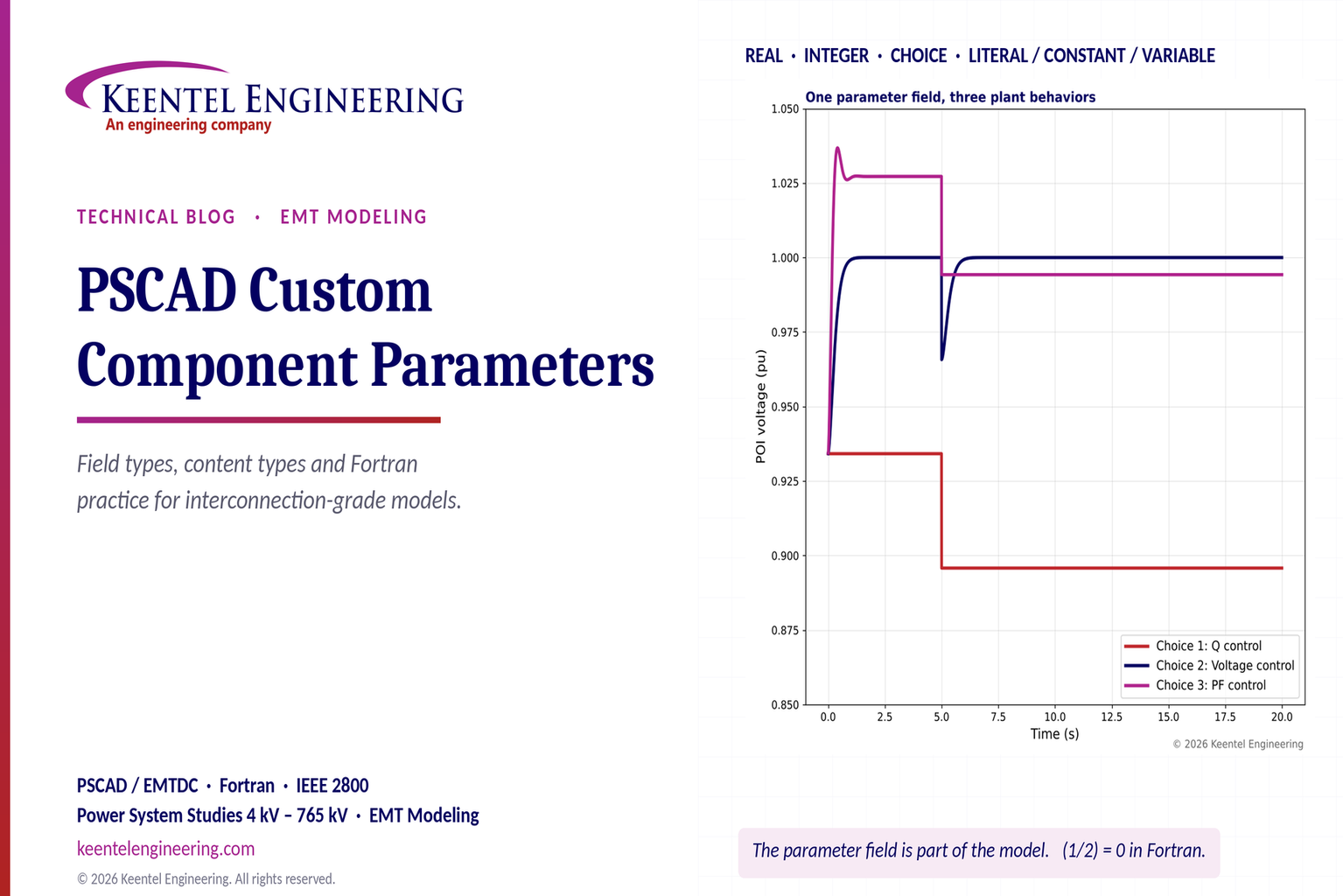
To show how parameter definitions change study results, Keentel Engineering built a reduced-order model of a 100 MW plant with a PPC on a grid with a short-circuit ratio of 3, and repeated the same disturbance (grid source stepping from 1.00 to 0.97 pu) with different parameter settings.
| Parameter decision | Result |
|---|---|
| Choice field set to 1 (Q control, Qref = 0) | POI voltage settles at 0.896 pu after the disturbance; the plant supplies no reactive support |
| Choice field set to 2 (voltage control, Vref = 1.00 pu) | POI voltage returns to 1.000 pu using 0.27 pu of reactive power |
| Choice field set to 3 (PF control, 0.97) | POI voltage settles at 0.994 pu with fixed reactive output of 0.25 pu |
| Vref defined as Literal or Constant | Setpoint cannot be changed during the run |
| Vref defined as Variable and driven by a signal | Setpoint step to 1.02 pu at 12 s is followed |
| Integer gain written as (1/2)*16 in integer arithmetic | Evaluates to 0; the controller is frozen and the plant behaves as if in Q mode |
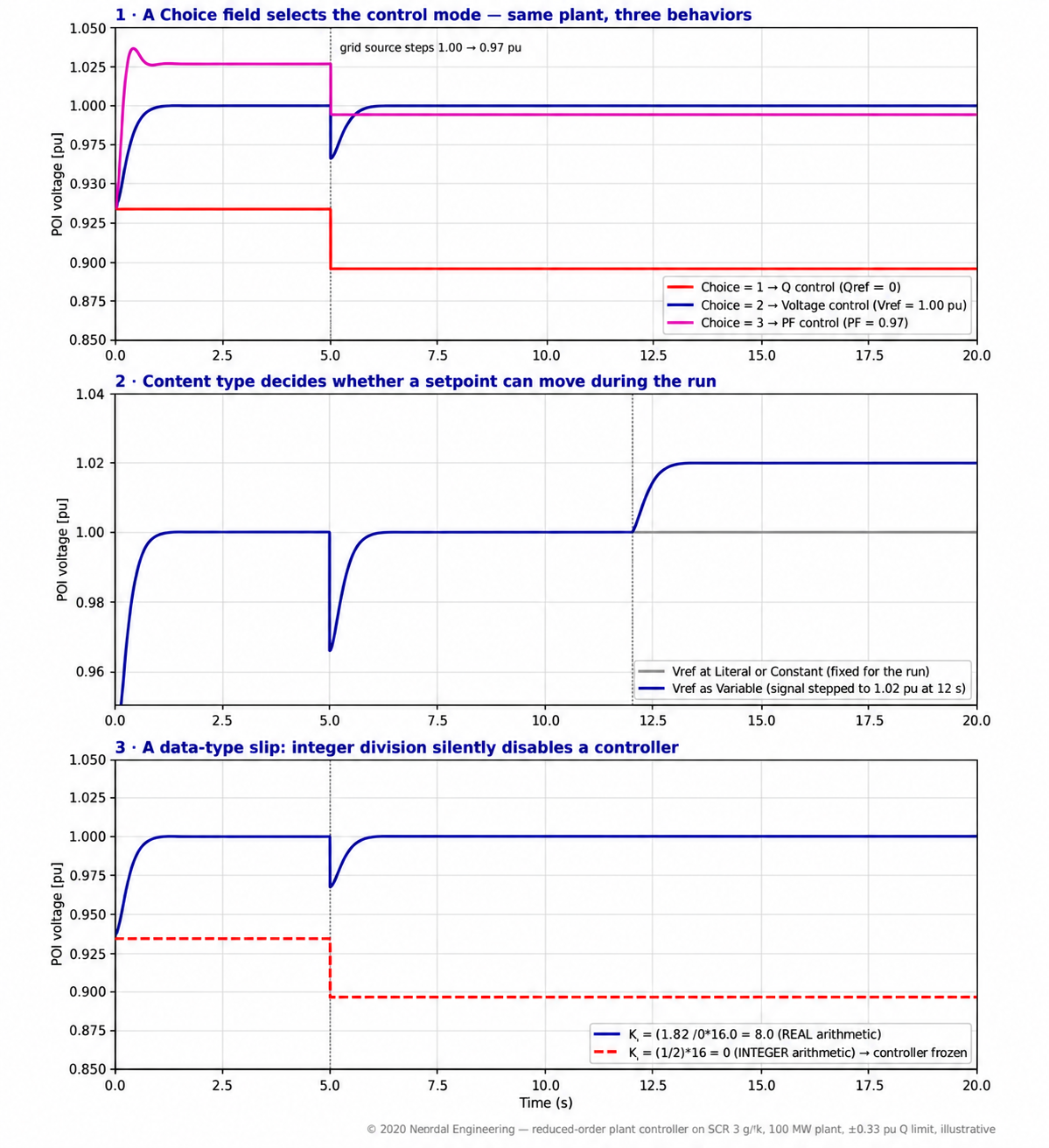
Figure 1. Keentel's reduced-order plant controller model. Panel 1: a Choice field selecting three control modes. Panel 2: Literal or Constant versus Variable setpoints. Panel 3: the effect of an integer-division error in a gain expression.
Four lessons
- A Choice field is a model, not a cosmetic option. The same plant produced POI voltages ranging from 0.896 to 1.000 pu depending on which mode was selected. Mode selections must be documented in every study report.
- Content type determines test capability. If a setpoint is defined as Literal, the model cannot be used for setpoint step tests required in model validation without editing it.
- Data types matter in Fortran. Integer arithmetic truncates. A gain written as 1/2 becomes zero, and the controller does nothing — without any error message.
- Parameters are a quality-control layer. Minimum and maximum limits, units, Checks segments and clear help text catch errors before they become study conclusions.
Engineering review of a common explanation
| Common statement | Keentel's check |
|---|---|
| "Real supports decimal values and whole numbers." | Correct. Real fields map to Fortran REAL variables; whole numbers entered are stored as floating point values. Precision depends on the compiled data type, so very large or very small values should be checked. |
| "Integer stores whole numbers." | Correct, with an important consequence: integer arithmetic truncates toward zero (7/2 = 3, 1/2 = 0). Mixed integer and real expressions must be written deliberately. |
| "Choice lets the user select from a defined list; each option has an assigned integer value." | Correct. The selected option is passed to code as an integer, typically used in Fortran SELECT CASE or IF blocks, or in script CASE directives. |
| "Literal accepts a numeric value and stays fixed throughout the simulation." | Correct. Literal values are fixed at build time and cannot be signal names. |
| "Constant accepts a numeric value or a signal name from a fixed source." | Correct. The signal must itself be constant — defined at build time. |
| "Variable accepts a numeric value or a signal name; a connected signal can change during the simulation." | Correct. Also: array parameters must be Variable, and Variable signals carry run-time cost because they are evaluated at each time step. |
| "Text, Logical, Integer, Real, Complex, Choice and Boolean options." | The parameter editor also provides a Table field for tabular data. |
Part B — Building Robust PSCAD Custom Components: Parameter Design, Fortran Practice and Model Quality for US Interconnection Studies
1. Why custom components matter in US EMT studies
EMT studies have moved from specialist tools to routine interconnection requirements. Transmission providers and ISO/RTOs increasingly require PSCAD models for inverter-based resources in low short-circuit strength areas, for HVDC and FACTS projects, and for plants near series-compensated lines or other converters. NERC reliability guidelines on EMT modeling of bulk power system-connected inverter-based resources set expectations for model fidelity, and IEEE 2800-2022 with its companion test and verification procedures (IEEE 2800.2) depend on models that represent actual plant behavior.
A typical US solar, wind or storage interconnection model in PSCAD contains:
| Element | Source | Customization typically needed |
|---|---|---|
| Inverter or turbine model | Vendor (often compiled code wrapped in a component) | Parameter interface, initialization, monitoring |
| Plant power controller | Vendor or engineering firm, often in Fortran | Modes, setpoints, gains, limits, communication delays |
| Collector system | Engineering firm | 34.5 kV cables, transformers, grounding |
| Main power transformer | Engineering firm | 34.5 kV to 115 kV, 138 kV, 230 kV or 345 kV, saturation, grounding |
| Auxiliary devices | Vendor or engineering firm | STATCOMs, capacitor banks, synchronous condensers |
| Network equivalent | Transmission provider or engineering firm | Thevenin or detailed network, frequency-dependent equivalents |
| Test harness | Engineering firm | Disturbance sequencers, scenario control, measurement |
Almost every one of these elements includes custom parameter fields and some Fortran. Errors in either are among the most common reasons models are rejected in ISO/RTO model quality checks.
2. The structure of a PSCAD component definition
2.1 Main sections
| Section | Contents |
|---|---|
| Graphic | Symbol, ports, text labels, layers |
| Parameters | Parameter forms with fields, categories, conditions and help |
| Script | Segments containing Fortran and PSCAD Script |
2.2 Script segments
| Segment | Purpose | When it is used |
|---|---|---|
| Computations | Preprocesses parameters into internal constants (for example, convert kV to per unit) | Evaluated once, before the Fortran is built |
| Checks | Validates parameters; issues warnings or errors | At build time |
| Fortran | Model code; PSCAD places it in DSDYN or DSOUT as appropriate | Every time step |
| DSDYN | Code forced into the system dynamics section | Every time step, before the network solution |
| DSOUT | Code forced into the output section | Every time step, after the network solution |
| Branch | Electrical branches (R, L, C, switches, sources) | Network setup |
| Model Data | Data read by user subroutines | Written to data file at build, read at run time |
| Transformers, Matrix Fill, T-Lines | Specialized network data | Specific component types |
| Help, Comments, FlyBy | Documentation | User interface |
2.3 Script directives used in control models
| Directive | Use |
|---|---|
| #STORAGE | Allocates storage arrays for values that must persist between time steps |
| #LOCAL | Declares local variables in the generated module |
| #BEGIN / #ENDBEGIN | Code run at time zero (initialization) |
| #FUNCTION / #SUBROUTINE | Declares functions and documents subroutines |
| #OUTPUT | Creates output variables for monitoring or other components |
| #IF / #ELSEIF / #ELSE / #ENDIF | Conditional inclusion of code, based on parameters |
| #CASE | Selects among script blocks using an integer expression (ideal for Choice fields) |
| #VERBATIM | Passes text unchanged into the generated Fortran |
2.4 Substitution
| Operator | Meaning |
|---|---|
| $name | Substitutes the evaluated value of a parameter, port or Computations variable (after unit conversion) |
| %name | Substitutes the exact text of an input parameter |
| {expression} | Evaluates an expression at build time; operands must be literals or constants |
| $(Context:Key) | Substitutes contextual information such as instance or project names |
| $#DIM(port) | Substitutes a port's dimension |
Because braces evaluate at build time, they can only use Literal or Constant inputs. A Variable parameter used inside braces will fail, which is one reason content type must match how the parameter is used in code.
3. Choosing parameter field types
3.1 Real fields
Use Real for any quantity that can take fractional values: gains, time constants, ratings, setpoints, limits. Good Real field definitions include:
| Property | Good practice |
|---|---|
| Symbol | Short, Fortran-legal, meaningful (for example KpV, Tdmeas, Vref) |
| Description | Full name with units in words |
| Default value | Typical, safe value |
| Units | Engineering units with the unit system enabled, so entries like kV and MVA convert correctly |
| Minimum and maximum | Physically meaningful bounds that catch typos (for example, 0.8 to 1.2 pu for a voltage setpoint) |
| Content | Literal for design constants; Constant for derived constants; Variable for setpoints that may be stepped |
| Help text | Definition, source document reference and typical range |
3.2 Integer fields
Use Integer only for genuinely whole quantities: number of inverters, number of parallel strings, array sizes, indices, discrete step counts. Common pitfalls:
| Pitfall | Example | Consequence |
|---|---|---|
| Integer division | Kfactor = Nunits/Ntotal with both integers | Truncates to 0 when Nunits < Ntotal |
| Integer used for a gain | Ki = 8 stored as integer, later divided | Unexpected truncation |
| Mixed type expressions | Real × (Integer/Integer) | Integer division happens first |
| Overflow | Counting time steps over long runs at small time steps | 32-bit integers limit counts to about 2.1 billion |
3.3 Worked example: integer arithmetic in a gain
A designer computes a per-inverter share of a plant reactive command:
Qinv = Qplant * (1/Ninv)
If Ninv is an Integer equal to 40, the expression 1/Ninv is evaluated in integer arithmetic and equals 0. Every inverter receives a zero command. The fix is to force real arithmetic:
Qinv = Qplant * (1.0/REAL(Ninv))
In Keentel's illustration (Figure 1, panel 3), the same error in an integral gain written as (1/2)*16 produced Ki = 0, and the voltage controller never acted. The plant's POI voltage settled at 0.896 pu instead of 1.000 pu, with no error message — exactly the kind of silent failure that survives into a study report unless the model is tested systematically.
3.4 Choice fields
Choice fields present a list and pass an integer value to the code. They are ideal for:
- control mode selection (Q, voltage, power factor, voltage droop);
- model variants (grid-following or grid-forming; detailed or average model);
- test options (which disturbance to apply);
- protection settings groups.
Good practice:
| Practice | Reason |
|---|---|
| Assign explicit integer values to each option | Code does not depend on list order |
| Handle every value in code, plus a default branch that raises an error | Prevents undefined behavior if a new option is added |
| Use #CASE in script for build time selection where appropriate | Excludes unused code paths |
| Record the selected mode on the component graphic | Makes the configuration visible in printed schematics |
| Use conditional expressions to enable only relevant fields | Prevents users from editing parameters that the selected mode ignores |
3.5 Worked example: mode-dependent behavior
In Keentel's illustration, a 100 MW plant on an SCR 3 grid (X = 0.333 pu on plant base) delivers 1.0 pu active power. The steady-state POI voltage with reactive injection Q satisfies:

| Mode (Choice value) | Reactive output after the 0.97 pu source step | POI voltage |
|---|---|---|
| 1 — Q control, Qref = 0 | 0 | 0.896 pu |
| 2 — Voltage control, Vref = 1.00 pu | 0.267 pu | 1.000 pu |
| 3 — PF control, 0.97 (Q = P × tan(arccos 0.97) = 0.251 pu) | 0.251 pu | 0.994 pu |
A study that runs in the wrong mode — or that does not document the mode — can misstate the plant's voltage support by more than 10%.
3.6 Logical and Boolean fields
Logical fields pass true or false values to Fortran for run-time decisions (for example, enabling an over-voltage ride-through function). Boolean fields are typically used for selections that drive conditional expressions — enabling other fields or graphics layers — at build time. Choose Logical when the code needs the value; use conditions to manage the dialog.
3.7 Text, Complex and Table fields
- Text fields hold strings such as file names for recorded data or descriptive labels. Paths should be relative to the project where possible so models are portable.
- Complex fields are convenient for impedances and phasors but should be documented clearly because users may enter rectangular or polar values inconsistently.
- Table fields hold curves such as reactive capability tables or ride-through characteristics; they must be validated for monotonic input values where interpolation is used.
4. Choosing content types
4.1 Decision table
| Question | Literal | Constant | Variable |
|---|---|---|---|
| Must the value be a typed number only? | Yes | Number or constant signal | Number or any signal |
| Can it change during the run? | No | No | Yes |
| Can it be used in build-time braces {}? | Yes | Yes | No |
| Can it be an array? | No | No | Yes |
| Run-time cost | None | None | Evaluated each time step |
| Typical use | Ratings, fixed time constants | Values derived from other parameters or project constants | Setpoints, gains to be tuned during a run, signals from sliders or sequencers |
4.2 Setpoints must usually be Variable
Model validation and grid-code compliance tests require setpoint changes: voltage reference steps, reactive power steps, active power ramps, frequency droop changes. IEEE 2800.2 test procedures, NERC MOD-026 and MOD-027 verification, and ISO/RTO model quality tests commonly include such steps. If the PPC's voltage reference is defined as Literal, each step test requires a model edit, which is error-prone and does not represent the plant's operating behavior.
4.3 Worked example: setpoint step test
In Keentel's model (Figure 1, panel 2), Vref defined as Variable and driven by a sequencer signal steps from 1.00 to 1.02 pu at 12 s. The POI voltage follows within about 0.6 s, with reactive output rising from 0.267 to 0.327 pu. With Vref as Literal or Constant, the same test cannot be performed in one run.
4.4 Constant parameters and build-time computation
Constant content is useful for derived values computed once: base impedances, per-unit conversions, filter coefficients. Moving calculations into the Computations segment rather than repeating them every time step reduces run time and clarifies the code.
4.5 Worked example: computing filter coefficients once
A first-order measurement filter with time constant Tf discretized with the trapezoidal rule at time step Δt has coefficients:
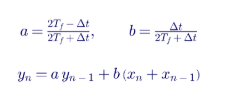
For Tf = 0.02 s and Δt = 50 µs, a = 0.99750 and b = 0.00125. If Tf is Literal or Constant, a and b can be computed once at build time. If Tf is Variable (for tuning during a run), the coefficients must be recomputed when Tf changes — and the code must handle that explicitly.
5. Fortran practice for custom components
5.1 State storage
EMTDC calls component code every time step. Values that must persist between steps (integrator states, filter outputs, previous inputs, timers) must be kept in storage arrays allocated with #STORAGE and accessed with the storage pointers, or managed by PSCAD's built-in conventions. Local variables are not preserved between calls.
5.2 Initialization
| Practice | Reason |
|---|---|
| Initialize states at time zero in #BEGIN blocks or with the first step flag | Avoids random or zero initial states causing transients |
| Initialize controllers to the expected operating point | Reduces start up transients and simulation time to steady state |
| Use snapshots for long studies | Starts from a settled condition |
| Separate initialization from operation in code | Clarifies behavior and testing |
5.3 Time-step independence
Control code should produce results that do not depend materially on the simulation time step, within a reasonable range. Discretize continuous-time controllers with consistent methods (trapezoidal integration is common in EMTDC), and use the simulation time step variable rather than hard-coded values.
5.4 Worked example: integrator discretization
A PI controller with gains Kp and Ki discretized with the trapezoidal rule:

Anti-windup must limit x when u saturates. A common error is limiting u but not x, which causes overshoot and slow recovery after limits are released — a behavior that shows up as poor fault recovery in ride-through tests.
5.5 Sampled controllers
Real PPCs and inverter controllers run at discrete sample rates (for example, a PPC at 10 to 100 ms intervals with communication delays). Representing the actual sample rate and delays in Fortran — rather than running the controller at the EMT time step — is often essential to reproduce real plant behavior and control interactions.
5.6 Numerical edge cases
| Edge case | Safeguard |
|---|---|
| Division by zero (for example, current reference P/V when V collapses) | Lower bound denominators (V = max(V, 0.1)) |
| Square roots of negative numbers | Check arguments, especially in current limit calculations |
| Trigonometric functions near singularities | Use atan2 rather than atan of ratios |
| Large time constants with small time steps | Check numerical precision of filters |
| Event timing | Use simulation time comparisons with tolerance |
5A. Worked example: designing the parameter form for a plant power controller
The following parameter set is typical of a Keentel-built PPC component for a 100 to 300 MW solar or storage plant. It illustrates how field type, content type, units and limits are chosen together.
5A.1 Configuration category
| Symbol | Description | Field type | Content | Units | Range | Default |
|---|---|---|---|---|---|---|
| Mode | Reactive control mode: 1 – Q, 2 – Voltage, 3 – PF, 4 – Voltage droop | Choice | — | — | 1 to 4 | Mode required by interconnection agreement |
| Sbase | Plant MVA base | Real | Literal | MVA | 1 to 2,000 | Plant rating |
| Vbase | POI nominal voltage | Real | Literal | kV | 13.8 to 765 | POI voltage class (for example 230) |
| Ninv | Number of inverters online | Integer | Variable | — | 1 to 500 | Plant total |
| EnLVRT | Enable low-voltage ride through freeze logic | Logical | — | — | — | True |
5A.2 Setpoint category
| Symbol | Description | Field type | Content | Units | Range | Default |
|---|---|---|---|---|---|---|
| Vref | POI voltage setpoint | Real | Variable | pu | 0.9 to 1.1 | 1.0 |
| Qref | Reactive power setpoint | Real | Variable | pu of Sbase | -0.5 to 0.5 | 0 |
| PFref | Power factor setpoint (positive = lagging) | Real | Variable | — | 0.8 to 1.0 | 1.0 |
| Pref | Active power setpoint | Real | Variable | pu of Sbase | 0 to 1.0 | 1.0 |
5A.3 Control gains and limits category
| Symbol | Description | Field type | Content | Units | Range |
|---|---|---|---|---|---|
| KpV, KiV | Voltage control proportional and integral gains | Real | Constant | pu/pu, pu/pu/s | 0 to vendor maximum |
| Droop | Voltage droop | Real | Constant | pu Q per pu V | 0 to 0.1 |
| Qmax, Qmin | Reactive limits at POI | Real | Constant | pu of Sbase | −1 to 1, with Qmax > Qmin enforced in Checks |
| Tmeas | Measurement filter time constant | Real | Literal | s | Greater than 2 × time step |
| Tsample | Controller execution interval | Real | Literal | s | 0.001 to 1.0 |
| Tcomm | Communication delay to inverters | Real | Literal | s | 0 to 0.5 |
5A.4 Rationale
- Mode as Choice makes the agreement-required mode explicit and testable.
- Setpoints as Variable allow validation step tests and operator-style changes during a run.
- Gains as Constant allow them to be computed from other parameters (for example, scaled by SCR) while keeping build-time evaluation and efficiency; a "tuning" variant of the component can expose them as Variable when needed.
- Timing parameters as Literal reflect fixed hardware characteristics.
- Logical enable flags pass directly to Fortran decisions.
- Limits on every field catch unit and sign errors.
5A.5 Mode logic in Fortran
The Choice value drives a SELECT CASE construct in the Fortran segment. In outline:
SELECT CASE ($Mode)
CASE (1): error = Qref − Qmeas
CASE (2): error = Vref − Vmeas
CASE (3): error = Pmeas × tan(acos(PFref)) − Qmeas
CASE (4): error = (Vref − Vmeas) − Droop × Qmeas
CASE DEFAULT: report an error through the PSCAD message interface
END SELECT
The DEFAULT branch matters: if a future revision adds a fifth option but the code is not updated, the model stops with a message instead of silently running in an undefined state.
5B. Multiple instances, storage and naming
Large plants and multi-plant studies often contain several instances of the same custom component. Problems arise when:
| Problem | Cause | Safeguard |
|---|---|---|
| Instances share state | Variables declared in a shared module or common block instead of instance storage | Keep all states in per-instance storage |
| Output signals collide | Fixed internal signal names used in several instances | Use instance-specific names or component outputs through ports |
| File outputs overwrite each other | Fixed file names in Text parameters | Include the instance number in file names |
| Initialization runs once for all instances | Initialization tied to a global flag | Use per-instance time zero logic |
Keentel's model reviews always include a test with at least two instances of each custom component operating at different setpoints to catch these issues.
5C. Wrapping vendor black-box models
Many inverter vendors deliver compiled models with a Fortran or C interface. Wrapping them in PSCAD components requires care:
| Task | Good practice |
|---|---|
| Interface definition | Map each vendor parameter to a documented PSCAD field with units and limits |
| Version control | Display the vendor model and firmware version on the component graphic; record it in reports |
| Time step | Run the vendor model at its required time step or sample rate; check compatibility with the network time step |
| Initialization | Follow the vendor's initialization sequence exactly |
| Monitoring | Expose internal signals needed for validation (PLL frequency, current references, mode flags) |
| Compiler compatibility | Confirm the compiled library works with the Fortran compiler and PSCAD version used by the transmission provider |
A frequent cause of model rejection is a vendor library that was compiled for a different compiler or PSCAD version than the reviewer's installation. Confirming compatibility early avoids weeks of delay.
5D. Run time and efficiency
EMT studies of large plants and networks can take hours. Parameter and code choices affect run time:
| Choice | Effect on run time |
|---|---|
| Using Literal or Constant instead of Variable where values do not change | Avoids per-step evaluation |
| Computing derived constants in Computations | Avoids repeated arithmetic |
| Running sampled controllers at their real sample rates | Reduces code executed per time step |
| Avoiding unnecessary output channels | Reduces file writing |
| Using snapshots | Avoids repeating initialization for each study case |
Worked example: execution count
A 20-second study at a 50 µs time step has 400,000 time steps. A PPC that genuinely updates every 20 ms needs only 1,000 executions of its control law; running the full law every time step executes it 400 times more often than necessary. Sampling the controller correctly both improves fidelity and reduces run time.
5E. Time-step sensitivity testing
Results should not change materially when the simulation time step changes within a reasonable range. A practical test runs the same case at, for example, 50 µs, 20 µs and 10 µs and compares key quantities:
| Quantity | Acceptance guidance |
|---|---|
| Steady-state values | Essentially identical |
| Peak values during faults | Small differences acceptable; large differences indicate discretization or interpolation problems |
| Controller response times | Consistent |
| Oscillation frequency and damping | Consistent |
Differences usually trace to hard-coded time steps in code, controllers that assume continuous time, or event logic sensitive to exact time values. Parameterizing time-dependent behavior correctly — using the simulation's time step variable and sample-rate parameters — resolves most of them.
6. Parameter validation with Checks and limits
6.1 Minimum and maximum limits
Every Real and Integer field should have limits that catch impossible values. PSCAD warns when entered values fall outside the defined range.
| Parameter | Suggested range | Reason |
|---|---|---|
| Voltage setpoint | 0.9 to 1.1 pu | Catches entries in kV instead of pu |
| Proportional gain | 0 to a vendor specified maximum | Catches sign errors |
| Time constant | Greater than zero | Prevents division by zero |
| Number of inverters | 1 to the plant total | Catches typos |
| Droop | 0 to about 0.1 pu/pu | Catches percent versus per-unit errors (for example, 5 instead of 0.05) |
6.2 Checks segment
The Checks segment can enforce relationships between parameters, for example:
- maximum reactive limit greater than minimum reactive limit;
- PF setpoint between 0 and 1;
- filter time constant greater than twice the simulation time step;
- voltage control deadband smaller than the voltage control range.
These checks stop errors at build time rather than letting them produce plausible-looking but wrong results.
6.3 Worked example: catching a units error
A voltage setpoint entered as 138 (intended as kV) into a field expecting per unit would command a voltage of 138 pu. With a maximum of 1.1 pu, PSCAD warns immediately. Without limits, the controller drives reactive output to its maximum, the study shows severe overvoltage, and hours may be spent diagnosing a "control instability" that is really a data entry error.
7. Units and per-unit systems
PSCAD's unit system converts entries with units (for example, kV, MVA, ms) into target units for code. Good practice:
| Practice | Benefit |
|---|---|
| Define default units for every physical quantity | Consistent conversion |
| State whether a value is on plant, inverter or system base | Avoids base mismatch |
| Convert to per unit in Computations | Simplifies control code |
| Display key parameters on the component graphic | Visible configuration in schematics |
7.1 Worked example: per-unit bases in a 34.5 kV collector
A plant with 40 inverters of 3.0 MVA each (120 MVA total) connects to a 34.5 kV collector and a 34.5/230 kV main transformer. A reactive power command from the PPC in plant per unit must be converted to each inverter's base:

If the plant base were defined as the 100 MW POI rating instead of 120 MVA, the factor would be 100 ÷ 120 = 0.833, and failing to apply it would over-command inverters by 20%.
8. Model quality and US interconnection requirements
8.1 What reviewers check
| Check | Why it fails |
|---|---|
| Model initializes to the specified operating point | Poor initialization code, missing time zero logic |
| Flat run with no disturbance | Uninitialized states, numerical problems |
| Response to voltage and frequency disturbances matches positive-sequence models and test data | Wrong modes, gains or limits |
| Time step sensitivity | Discretization errors, sampled control errors |
| Multiple instances work together | Shared storage or global variable conflicts |
| Parameters match as built settings | Parameters not exposed or documented |
8.2 Relevant requirements and guidance
| Requirement | Relevance to custom components |
|---|---|
| NERC Reliability Guideline on EMT modeling of BPS connected IBRs | Expectations for model accuracy, documentation and usability |
| NERC MOD-032 | Data and model submission for planning |
| NERC MOD-026 and MOD-027 | Verification of models for control functions |
| IEEE 2800-2022 and IEEE 2800.2 | Performance requirements and test and verification procedures |
| FERC Order No. 2023 | Model requirements in interconnection requests |
| ISO/RTO model requirements (ERCOT, MISO, SPP, PJM, CAISO, NYISO, ISO NE) | Specific PSCAD model quality tests and documentation |
8.3 Parameterization as a compliance issue
Model validation compares simulated response with field test data. To do this efficiently, the model's parameters must correspond one-to-one with the plant's actual settings, be adjustable without code changes, and be documented. A model with hard-coded gains or modes cannot be updated when settings change — and settings do change through commissioning and firmware updates.
8A. Keeping PSCAD and positive-sequence parameters consistent
US planning studies use positive-sequence models such as the WECC second-generation renewable models (REGC, REEC and REPC families) in PSS®E and PSLF, while EMT studies use PSCAD. Transmission providers increasingly compare the two. A custom PSCAD plant controller should expose parameters that map directly to the positive-sequence plant controller where the functions correspond.
| Function | Typical positive-sequence plant controller parameter | PSCAD custom field (example) | Consistency check |
|---|---|---|---|
| Reactive control mode | Mode flags selecting voltage, reactive power or power factor control | Mode (Choice) | Same mode in both models for every study case |
| Voltage measurement filter | Measurement time constant | Tmeas (Real, Literal) | Same value |
| Voltage control gains | Proportional and integral gains | KpV, KiV (Real, Constant) | Same values, same base |
| Reactive droop | Droop or compensation gain | Droop (Real, Constant) | Same sign convention |
| Reactive limits | Maximum and minimum reactive output | Qmax, Qmin (Real, Constant) | Same base and limits |
| Deadband | Voltage error deadband | Dbd (Real, Literal) | Same value |
| Frequency response | Droop and deadband for frequency response | Fdroop, Fdbd (Real, Constant) | Same values |
| Communication delay | Delay between plant controller and inverters | Tcomm (Real, Literal) | Represented in both models where applicable |
Worked example: comparing a voltage step
A 2% voltage reference step is simulated in both the positive-sequence model and the PSCAD model of the same plant on the same Thevenin equivalent. If the PSCAD response settles in 2.5 s and the positive-sequence model in 1.2 s, the first suspect is a parameter mismatch rather than a modeling difference. Common causes are a gain entered on a different base (for example, plant MVA versus POI MW), a measurement filter time constant entered in milliseconds in one model and seconds in the other, or a communication delay represented only in PSCAD. Exposing these as clearly documented parameter fields with units makes such mismatches easy to find.
8B. Automated parameter sweeps
Well-designed parameters make systematic sensitivity studies practical. A typical weak-grid screening sweep for a plant controller might cover:
| Parameter | Values | Content type needed |
|---|---|---|
| Short circuit ratio of the network equivalent | 1.5, 2, 3, 5 | Network source parameters, Variable or set per run |
| Voltage control integral gain | 0.5×, 1×, 2× nominal | Constant per run |
| Communication delay | 50, 100, 200 ms | Literal per run |
| Control mode | Voltage, Q, PF | Choice per run |
The full factorial set has 4 × 3 × 3 × 3 = 108 runs. Run manually, this is impractical; with an automation script that sets parameter values, runs each case and extracts damping and settling metrics, it becomes an overnight job. The results identify parameter combinations that produce poorly damped or unstable responses before they appear in an interconnection review — exactly the kind of evidence transmission providers increasingly expect for plants in low-strength areas.
Worked example: deciding which parameters to expose
A component designer must decide which internal constants to expose as parameters. Exposing too few makes the model inflexible; exposing too many invites incorrect entries. A practical rule:
| Category | Expose as parameter? | Content type |
|---|---|---|
| Settings that differ between plants or change in commissioning (gains, limits, setpoints, modes) | Yes | Variable for setpoints; Constant for gains and limits; Choice for modes |
| Physical constants of the hardware design (filter values fixed by hardware, internal time constants) | Usually no; document | Hard coded with comments, or Literal in an advanced category |
| Test and scenario options | Yes, in a separate test category | Choice or Logical |
| Numerical tolerances and internal algorithm settings | Rarely | Literal in an advanced category with warnings |
8C. Worked example: units and bases in the Computations segment
Suppose a protection function inside a custom component uses an overvoltage threshold entered as 1.20 pu and a POI voltage measured in kV. The Computations segment can convert once at build time:
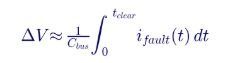
for a phase-to-neutral RMS comparison, or without the √3 factor for line-to-line comparison. For a 345 kV POI and 1.20 pu, the line-to-line threshold is 414 kV and the phase-to-neutral threshold is about 239 kV. Choosing the wrong form — a frequent error — shifts the trip level by a factor of 1.73, which would make an overvoltage element either useless or prone to tripping during normal operation. Computing the threshold once in Computations, with the formula documented in the help text and the result displayed on the component graphic, removes the ambiguity.
9. Testing custom components
9.1 Unit tests
| Test | Purpose |
|---|---|
| Step response of each controller | Verify gains, time constants and limits |
| Mode switching | Verify each Choice option |
| Limit behavior and anti-windup | Verify saturation and recovery |
| Initialization | Verify steady start at specified operating points |
| Parameter extremes | Verify behavior at minimum and maximum values |
| Time-step sweep | Verify results are not time-step sensitive |
9.2 System tests
| Test | Purpose |
|---|---|
| Voltage and frequency ride-through | IEEE 2800 and NERC PRC-024/PRC-029 compliance |
| Phase-angle jumps | PLL and control robustness |
| Weak grid operation | Control interactions at low SCR |
| Setpoint steps | Model validation tests |
| Multiple plants | Interaction and storage conflicts |
9.3 Automation
Automation libraries allow scripting of PSCAD runs, parameter sweeps and results extraction. Combined with well-designed parameters (Variable setpoints, Choice modes, explicit test options), automation turns model testing from a manual exercise into a repeatable test suite — which is essential when a model must be re-verified after every vendor firmware update.
9A. Debugging a misbehaving custom component
When a custom component produces unexpected results, Keentel works through a structured checklist before changing control logic:
| Step | Question | Typical finding |
|---|---|---|
| 1 | Are all parameter values what the report says they are? | Default values left in place; wrong mode selected |
| 2 | Are units and bases consistent? | kV entered in a pu field; plant MVA versus POI MVA base |
| 3 | Are any computed values zero or infinite? | Integer division; division by an unset parameter |
| 4 | Does the component initialize correctly? | States start at zero instead of the operating point |
| 5 | Does a flat run stay flat? | Drift from uninitialized integrators or numerical issues |
| 6 | Do step responses match hand calculations? | Gain or time constant on the wrong base |
| 7 | Do limits and anti-windup behave correctly? | Integrator wind up after saturation |
| 8 | Is the result time-step sensitive? | Hard-coded time steps; continuous-time assumptions |
| 9 | Do multiple instances interfere? | Shared state or signal names |
| 10 | Does the result match the positive-sequence model and vendor data? | Parameter mismatch or missing function |
Most problems are found in steps 1 to 3 — in the parameter layer, not the control algorithm. That is why careful parameter design pays for itself many times over: it moves errors from late-stage study review, where they are expensive, to build time, where they are cheap.
Worked example: hand-checking a step response
For a voltage controller with integral gain KiV, a reactive power plant response lag of 0.1 s, and a network voltage sensitivity of about 1/SCR pu voltage per pu reactive power, the closed-loop voltage response behaves approximately like a first-order system with time constant:
For SCR = 3 and KiV = 8, τ ≈ 0.375 s, so the voltage should settle (within about 2%) in roughly 4τ ≈ 1.5 s, ignoring the plant lag. Keentel's illustrative model settles in about 0.6 to 1 s after a step, of the same order, confirming that gains and bases are consistent. If a PSCAD model of the same plant took 10 s, a factor-of-ten base or units error would be the first suspect.
10. A practical parameter design checklist
- Inventory every parameter the model needs, with source documents for each value.
- Choose the field type that matches the quantity (Real, Integer, Choice, Logical, Text, Complex, Table).
- Choose the content type by asking whether the value must change during the run.
- Set units, limits and default values for every field.
- Write help text that states definition, units, base and typical range.
- Use Choice fields for modes with explicit integer values and complete code handling.
- Enable fields conditionally so only relevant parameters are editable.
- Compute derived constants in Computations.
- Write Checks for inter-parameter relationships.
- Show key settings on the graphic.
- Test each parameter's effect with automated runs.
- Document the parameter set and its relationship to as-built plant settings.
10A. Documenting a custom component
Every custom component delivered for an
interconnection study should be accompanied by documentation that allows a reviewer to understand and reproduce its behavior.
| Document element | Content |
|---|---|
| Purpose and scope | What the component represents and what it does not |
| Parameter table | Every field: symbol, description, type, content, units, range, default and source |
| Mode descriptions | What each Choice option does and when it is used |
| Signal list | Inputs, outputs and internal signals available for monitoring |
| Initialization | How the component initializes and what operating points are supported |
| Time step requirements | Required or recommended time steps and sample rates |
| Validation evidence | Test results against vendor data or field measurements |
| Revision history | Changes, with dates and reasons |
| Known limitations | Conditions under which the model is not valid |
Good documentation shortens review cycles with transmission providers and makes models maintainable when the original developer is no longer available.
10B. Change control
Custom components evolve. Firmware updates, setting changes during commissioning and corrections after review all require model changes. A disciplined change process includes:
- version numbering visible on the component graphic;
- a change log in the component's Comments segment and in project documentation;
- regression tests that rerun the standard test suite after every change;
- comparison of key results before and after the change;
- resubmission to the transmission provider when changes affect study conclusions or interconnection agreement settings.
11. Common misconceptions corrected
| Misconception | Engineering reality |
|---|---|
| "Parameter fields are just a user interface." | They determine data types, build-time evaluation, run-time behavior and validation. |
| "Integer and Real are interchangeable for gains." | Integer arithmetic truncates; gains should be Real. |
| "Literal is safest for everything." | Literal values cannot be changed during a run, preventing setpoint tests. |
| "Variable is always best." | Variable parameters cannot be used in build-time expressions and add run-time evaluation. |
| "If the model runs, the parameters are right." | Silent errors such as integer division or wrong units can produce plausible but wrong results. |
| "A Choice field's label is what the code sees." | The code sees the assigned integer value; list order and value mapping must be managed. |
12. Key takeaways
- Field type and content type are engineering decisions.
- Use Real for gains and setpoints, Integer only for whole quantities.
- Use Variable content for setpoints that must be tested or changed during runs.
- Use Choice fields for modes with explicit, fully handled integer values.
- Protect models with units, limits, Checks and help text.
- Test parameters systematically with automated runs.
- Model quality is a compliance requirement for US interconnections.
13. How Keentel Engineering helps
Keentel Engineering develops, reviews and validates EMT models for solar, wind, storage, hybrid, HVDC and FACTS projects, supporting developers, utilities and equipment vendors across US interconnection processes.
| Service | Keentel scope | Outcome |
|---|---|---|
| Custom component development | PSCAD components in Fortran: plant controllers, protection functions, test harnesses | Robust, documented, reusable components |
| Model review and quality assurance | Parameter audits, initialization, time-step sensitivity, multi-instance checks | Models that pass ISO/RTO quality checks |
| Model validation | Comparison with factory and field tests; MOD-026/027 and IEEE 2800.2 support | Models that match real plant behavior |
| EMT studies | Weak grid, ride-through, control interaction and SSCI studies | Interconnection study results accepted by transmission providers |
| Test automation | Scripted parameter sweeps and compliance test suites | Fast, repeatable re-verification |
| Training | PSCAD component design and Fortran practices for client engineering teams | Stronger in-house capability |
Why clients choose Keentel Engineering
- EMT depth: detailed PSCAD modeling from component code to full-plant studies.
- Control-aware engineering: we understand inverter and plant controller behavior, not just the network.
- Interconnection experience: model requirements of ERCOT, MISO, SPP, PJM, CAISO, NYISO and ISO-NE.
- Quality-first practice: structured parameter design, checks and automated testing.
- Licensed professional engineering: a Florida-registered firm with offices in Tampa, Austin, Sacramento and Baltimore, supporting projects nationwide.
Need a PSCAD model built, reviewed or validated for an interconnection study? Talk to Keentel Engineering at (813) 389-7871, contact@keentelengineering.com, or book a 15-minute scoping call at calendly.com/keentel-engineering/15min.
Part C — Case Studies
The following are illustrative scenarios based on conditions typical of US EMT modeling projects. They show how Keentel Engineering approaches custom component quality; site details are generalized and figures are rounded.
Case Study 1 — 200 MW solar plant at 230 kV: a frozen plant controller
Situation. A developer submits a PSCAD model of a 200 MW solar plant at a 230 kV POI. The transmission provider's review finds that the plant provides no voltage support during disturbances, contradicting the positive-sequence model and the vendor's documentation.
Analysis. Keentel reviews the plant controller component and finds that the voltage-control integral gain is computed from Integer parameters in an expression equivalent to Ki × (Nactive/Ntotal). With both quantities integers and Nactive smaller than Ntotal, the scaling evaluates to zero. The controller compiles and runs without error, but never acts.
Engineered solution. Keentel corrects the arithmetic to real division, converts gain-related fields to Real, adds Minimum and Maximum limits, and adds a Checks segment that warns if any computed gain is zero while voltage control is selected.
Outcome. The corrected model reproduces vendor test results and the positive-sequence model, and the transmission provider accepts the resubmission.
Case Study 2 — 150 MW battery plant at 138 kV: setpoint tests that could not be run
Situation. A battery storage plant connected at 138 kV must provide model validation results comparing simulated and measured responses to voltage and active power setpoint steps. The vendor's PSCAD model defines all setpoints as Literal values.
Analysis. Keentel finds that each setpoint step would require a separate model edit and run, and that sequenced tests (for example, a voltage step followed by a frequency event) are impossible. Hand-edited models create a risk that the validated model differs from the submitted one.
Engineered solution. Keentel works with the vendor to redefine operational setpoints as Variable parameters driven by a test sequencer component, retaining design constants as Literal. Choice fields select test scenarios, and an automation script runs the full validation test set.
Outcome. The full validation test suite runs automatically, results match field measurements within acceptance criteria, and the same harness is reused after a later firmware update.
Case Study 3 — 300 MW wind plant at 345 kV: mode documentation in a weak-grid study
Situation. An EMT study for a 300 MW wind plant at a 345 kV POI in a low-strength area shows marginal voltage recovery after faults. The transmission provider questions the results because the plant's interconnection agreement specifies voltage control at the POI.
Analysis. Keentel finds that the plant controller component's Choice field for control mode defaulted to Q control, and the study had been run in that mode. The study report did not state the mode.
Engineered solution. Keentel reruns the studies in voltage-control mode with the agreement's voltage schedule, changes the component's default to the agreement mode, displays the selected mode on the component graphic, and adds a configuration table to the study report.
Outcome. Voltage recovery meets criteria in the correct mode, and the transmission provider accepts the study.
Part D — Technical FAQ: PSCAD Custom Component Parameters
Text, Logical, Integer, Real, Complex, Choice, Boolean and Table fields in the component parameter editor.
For gains, time constants, ratings, setpoints, limits and any quantity that can take fractional values.
Only for genuinely whole quantities such as counts, array sizes and indices.
Integer division truncates toward zero, so expressions like 1/2 evaluate to 0. This can silently disable controllers.
As the integer value assigned to the selected option, typically used in Fortran IF or SELECT CASE blocks or in script #CASE directives.
A field that accepts only fixed numeric values, set at build time.
A field that accepts fixed numbers or names of constant signals, set at build time and fixed for the run.
A field that accepts numbers or signal names and can change during the simulation.
PSCAD requires non-scalar (dimension greater than one) Real and Integer parameters to use the Variable content type.
No. Brace expressions are evaluated at build time and require Literal or Constant operands.
It defines whether the parameter is an input or an output, which affects the Fortran code generated.
PSCAD warns when entered values fall outside the defined range, catching typos and unit errors.
Validating parameters and relationships between them, issuing warnings or errors at build time.
Pre-processing parameters into internal constants once, before the simulation runs.
Use storage allocated with #STORAGE (or PSCAD's built-in storage conventions); local variables are not preserved between calls.
At time zero, to the expected operating point, using #BEGIN blocks or first-step logic, and verified with flat runs.
Model validation and compliance tests require setpoint steps; Variable setpoints allow these without editing the model.
PSCAD's unit system converts entries such as kV, MVA and ms into target units for code, reducing conversion errors.
NERC EMT modeling guidance, MOD-032 and MOD-026/027, IEEE 2800 and 2800.2, FERC Order No. 2023 and ISO/RTO model requirements.
Silent data-type and unit errors — integer division, percent-versus-per-unit droops and wrong per-unit bases — that produce plausible but wrong results.
References and Further Reading
Links were current at publication (October 2026).
- Manitoba Hydro International, PSCAD User Guide and online help: Component Design, Parameters Section, Script Section (Segment Types, Directives, Substitutions). pscad.com.
- NERC Reliability Guideline, Electromagnetic Transient Modeling for BPS-Connected Inverter-Based Resources. North American Electric Reliability Corporation.
- NERC Reliability Standards MOD-032, MOD-026, MOD-027, PRC-024 and PRC-029. North American Electric Reliability Corporation.
- IEEE Std 2800-2022 and IEEE 2800.2, Interconnection and Interoperability of Inverter-Based Resources and associated test and verification procedures. IEEE.
- FERC Order No. 2023, Improvements to Generator Interconnection Procedures and Agreements. Federal Energy Regulatory Commission.
- H. W. Dommel, EMTP Theory Book. Bonneville Power Administration and Microtran Power System Analysis Corporation.
- ISO/International Fortran standard (ISO/IEC 1539) on intrinsic data types and arithmetic.
Disclaimer
This article is general technical information for educational purposes. It is not engineering advice for any specific project and does not create a professional relationship. PSCAD features described reflect publicly available documentation and may differ between versions; users should consult the documentation for their installed version. Keentel Engineering's illustrations use simplified reduced-order models with assumed parameters and are not PSCAD simulation results of any specific plant. Interconnection models must follow current NERC, IEEE, FERC and transmission provider requirements and project-specific engineering analysis, sealed by a licensed professional engineer where required.
Case studies are illustrative scenarios based on typical project conditions, not records of specific client projects. Figures are rounded and indicative.
PSCAD™ is a trademark of Manitoba Hydro International Ltd. IEEE, NERC, FERC and other names are the property of their respective owners. Keentel Engineering is not affiliated with or endorsed by these organizations or any software or equipment vendor.
| Office | Address | Phone |
|---|---|---|
| Head Office — Tampa | 400 N Ashley Dr STE #2600, Tampa FL 33602 | (813) 389-7871 |
| Austin | 5900 Balcones Drive STE 100, Austin TX 78731 | (512) 591-0752 |
| Sacramento | 1401 21st St Ste R, Sacramento CA 95811 | (916) 913-4524 |
| Baltimore | 306 W Redwood St STE 200, Baltimore MD 21201 | (410) 225-2181 |

About the Author:
Sandip "Sonny" R. Patel, P.E.
IEEE Senior Member · Founder & CEO, Keentel Engineering
In 1995, Sonny Patel earned his Electrical Engineering degree from the University of Illinois. But degrees don't build legacies — action does.
For three decades, he has worked the power industry from every side of the table: 16 years as a utility engineer at Exelon/Commonwealth Edison; generation leadership across hydroelectric, industrial steam turbine, and a 9 GW renewable fleet; NERC Regional Entity Senior Compliance Engineer and Audit Team Lead, auditing some of the nation's largest utilities; and testing and commissioning lead on equipment up to 765 kV — the very top of the North American grid.Utility. Generator. Regulator. Consultant. Few engineers have seen all four seats. Fewer still have sat in them.
His experience spans nuclear, hydro, conventional generation, renewables, oil and gas, mining — and today's data centers, where he is authoring a three-book series on data center design. He is a Licensed Professional Engineer in six states and a Licensed Electrical Contractor in Florida (Unlimited EC) — he doesn't just design the work; he's qualified to stand behind its execution.Today, as Founder and CEO of Keentel Engineering, Sonny leads a nationwide team of engineers delivering substation design, power system studies, NERC compliance, and commissioning — done right, coast to coast.Three decades. Every side of the table. One standard: accountable engineering.
Services

Let's Discuss Your Project
Let's book a call to discuss your electrical engineering project that we can help you with.
About the Author:
Sandip "Sonny" R. Patel, P.E.
IEEE Senior Member · Founder & CEO, Keentel Engineering
In 1995, Sonny Patel earned his Electrical Engineering degree from the University of Illinois. But degrees don't build legacies — action does.
For three decades, he has worked the power industry from every side of the table: 16 years as a utility engineer at Exelon/Commonwealth Edison; generation leadership across hydroelectric, industrial steam turbine, and a 9 GW renewable fleet; NERC Regional Entity Senior Compliance Engineer and Audit Team Lead, auditing some of the nation's largest utilities; and testing and commissioning lead on equipment up to 765 kV — the very top of the North American grid.
Utility. Generator. Regulator. Consultant. Few engineers have seen all four seats. Fewer still have sat in them.
His experience spans nuclear, hydro, conventional generation, renewables, oil and gas, mining — and today's data centers, where he is authoring a three-book series on data center design. He is a Licensed Professional Engineer in six states and a Licensed Electrical Contractor in Florida (Unlimited EC) — he doesn't just design the work; he's qualified to stand behind its execution.
Today, as Founder and CEO of Keentel Engineering, Sonny leads a nationwide team of engineers delivering substation design, power system studies, NERC compliance, and commissioning — done right, coast to coast.Three decades. Every side of the table. One standard: accountable engineering.
Leave a Comment
Thank you for contacting us.
We will get back to you as soon as possible.
We will get back to you as soon as possible.
Oops, there was an error sending your message.
Please try again later.
Please try again later.
Related Posts
By SANDIP R PATEL
•
October 24, 2026
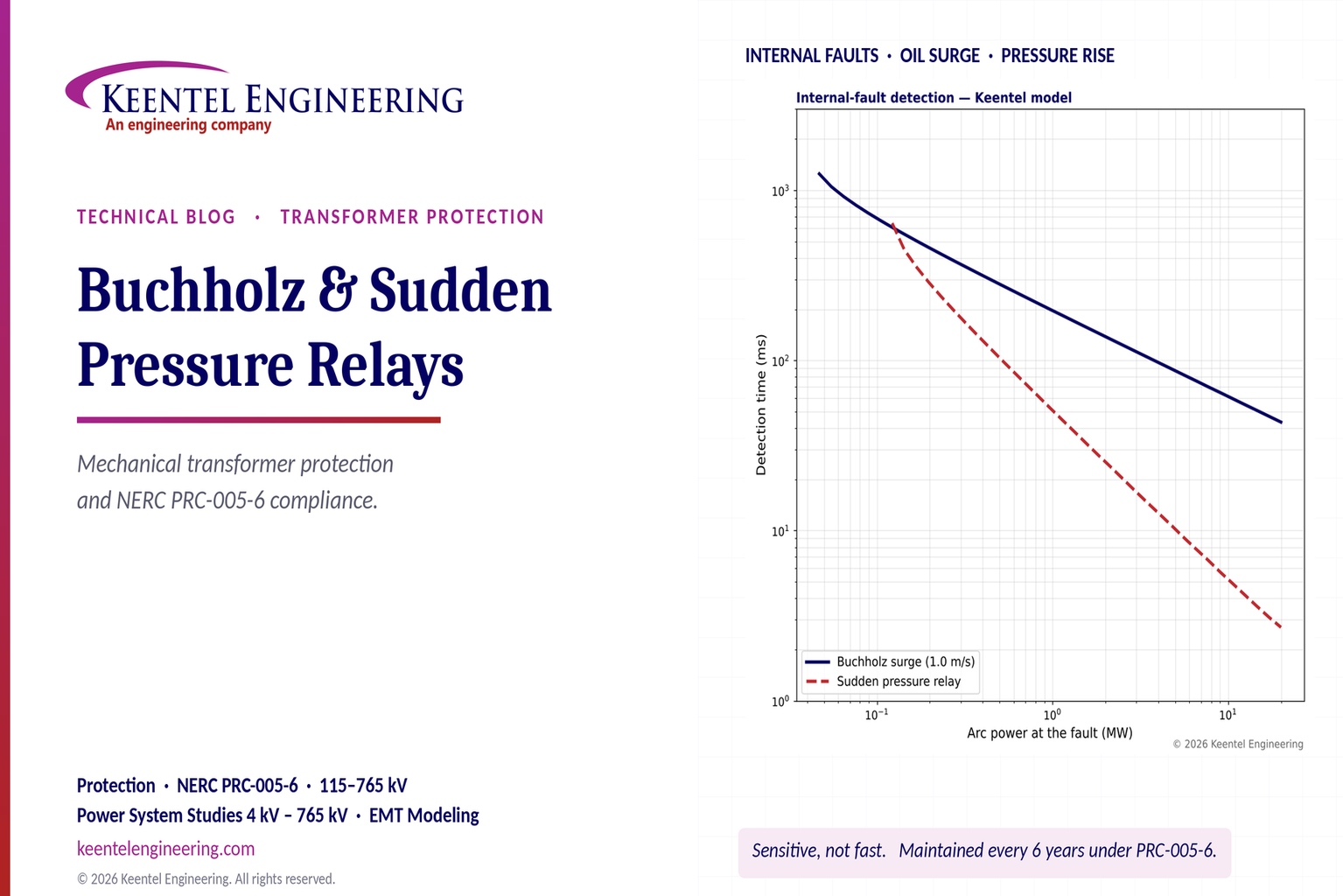
Learn how Buchholz and sudden pressure relays protect transformers, detect internal faults, and meet NERC PRC-005-6 maintenance requirements.
By SANDIP R PATEL
•
October 24, 2026
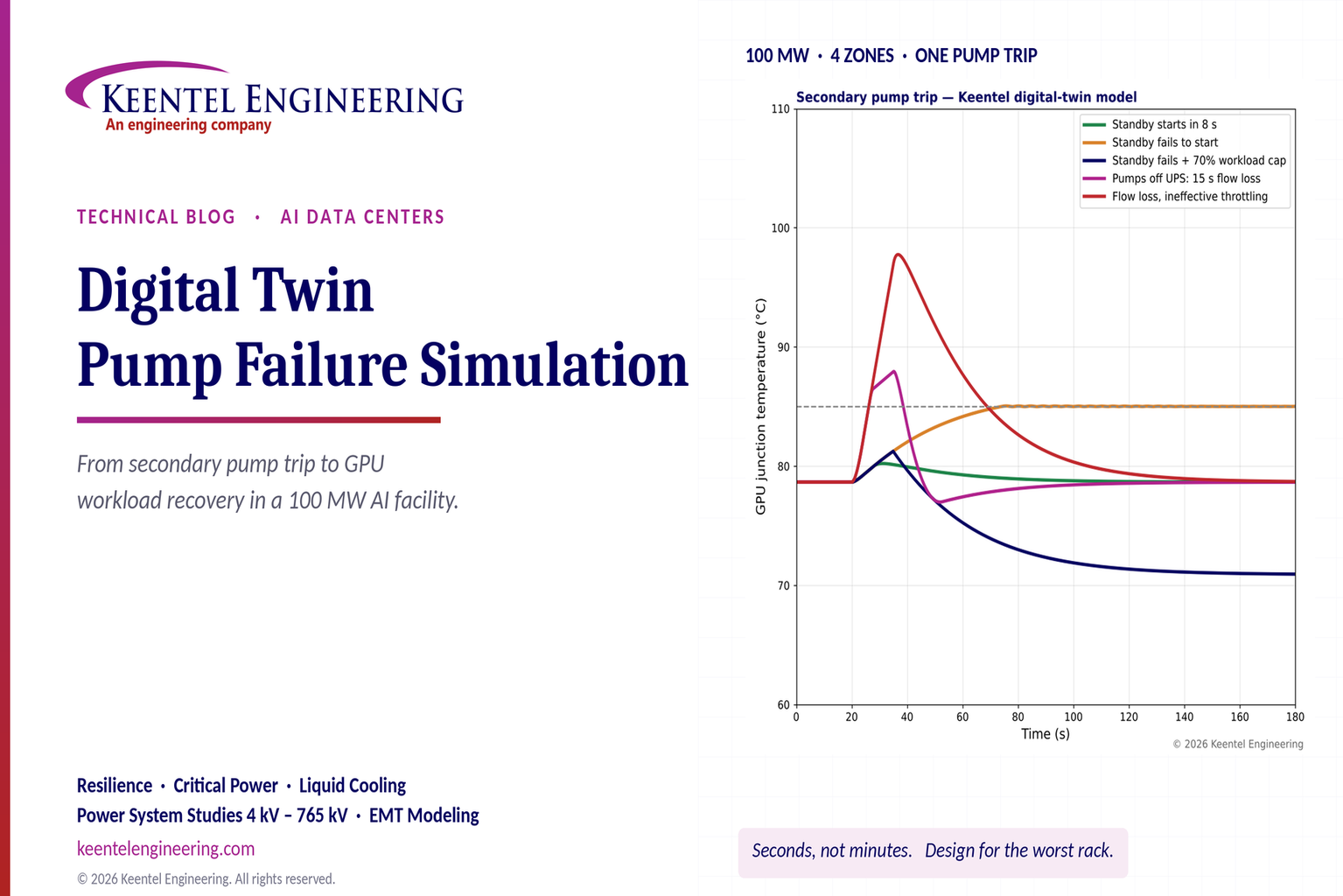
Explore digital twin pump failure simulation for liquid-cooled AI data centers, including GPU temperatures, standby pump failover, UPS and workload recovery.
By Team 2 Dexora
•
October 24, 2026
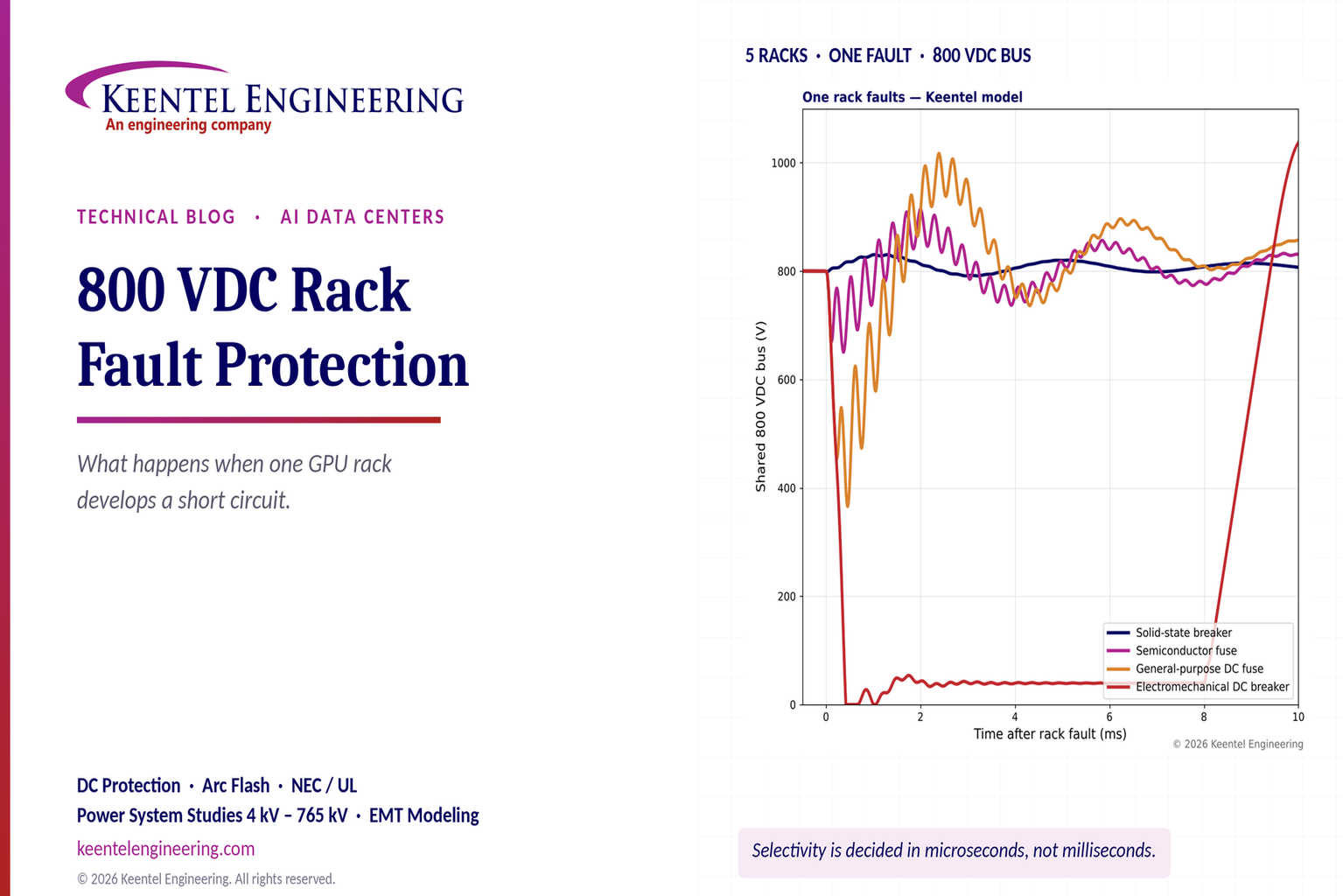
Explore 800 VDC rack fault protection for AI data centers, including solid-state breakers, DC short circuits, selectivity, arc flash, and NEC/UL standards.
October 24, 2026
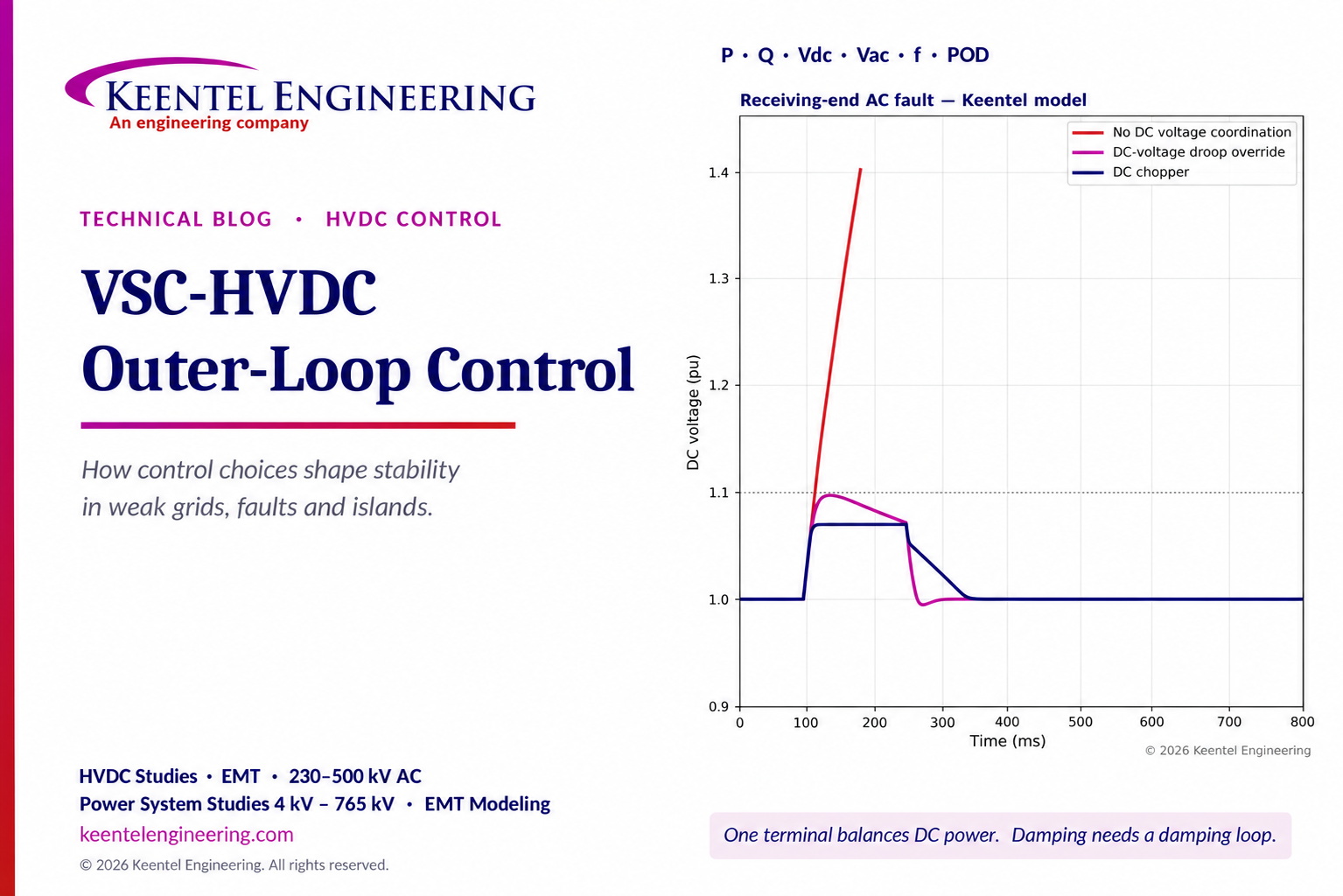
Explore VSC-HVDC outer-loop control for P, Q, DC voltage, weak-grid stability, fault ride-through and power oscillation damping with engineering models.
By SANDIP R PATEL
•
October 23, 2026
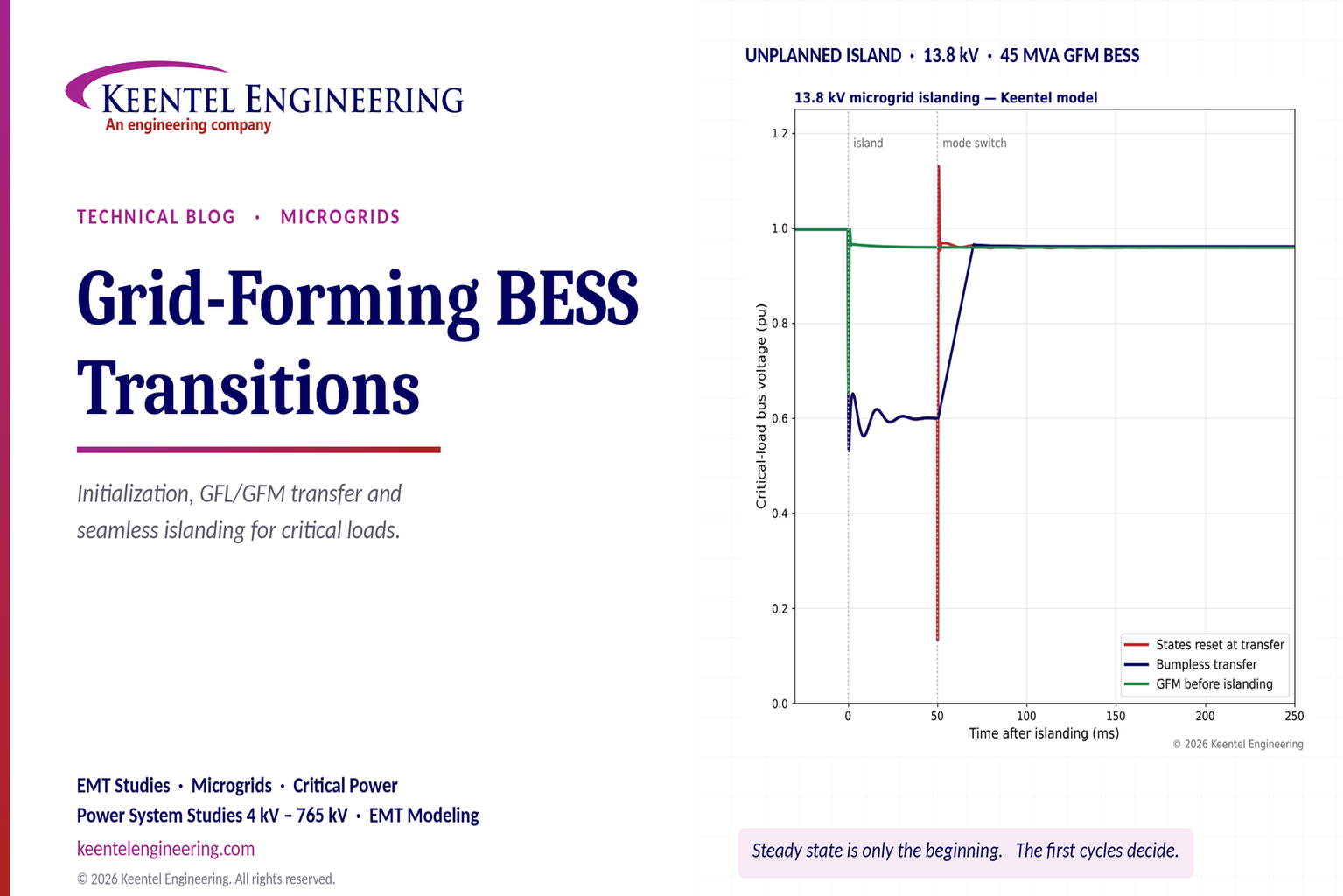
Explore grid-forming BESS initialization, GFL-to-GFM transitions, seamless islanding, EMT simulations, current limiting and microgrid protection.
By SANDIP R PATEL
•
October 23, 2026
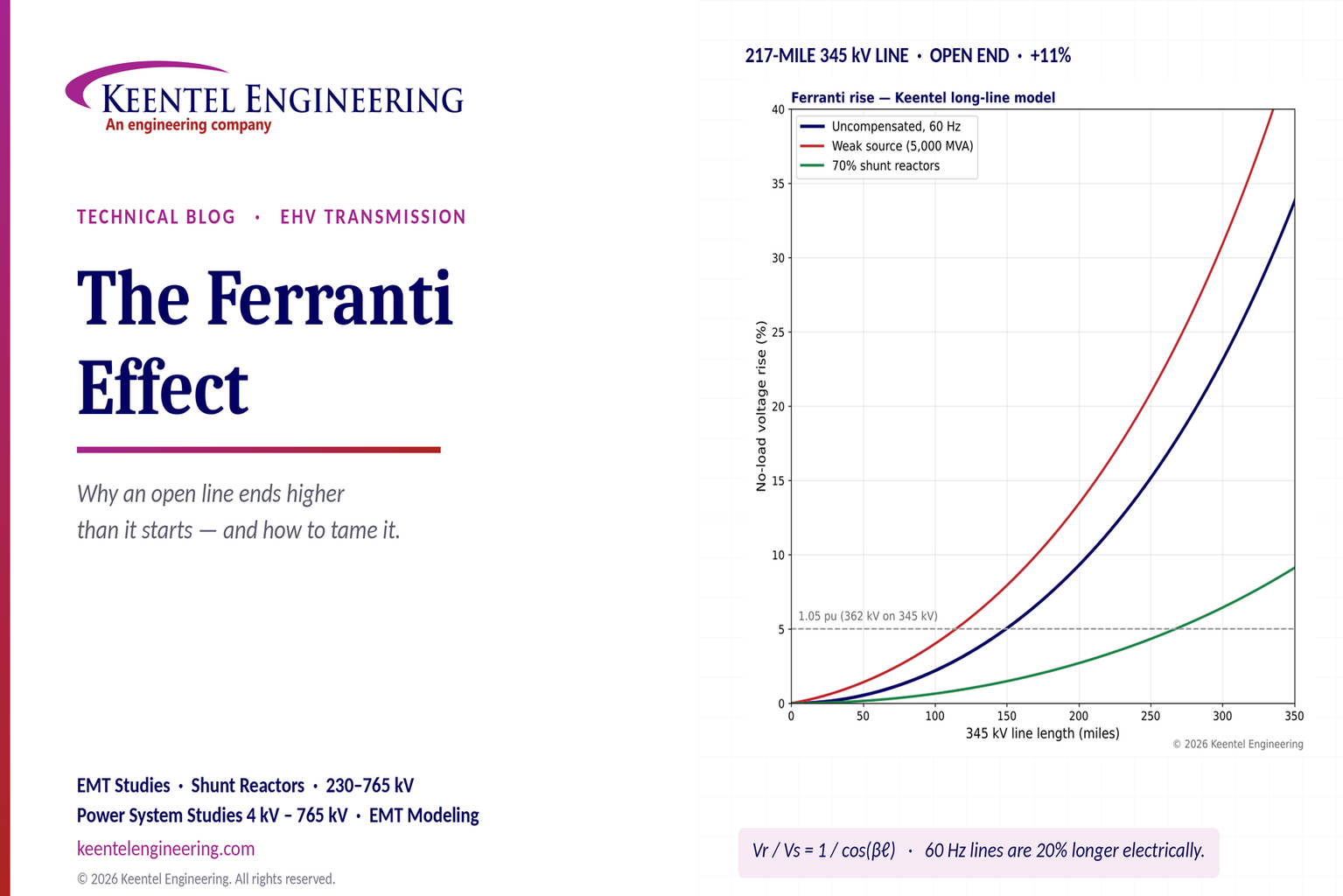
Explore the Ferranti effect in EHV transmission lines: voltage rise, 345 kV examples, switching overvoltages, shunt reactor sizing and mitigation.
By SANDIP R PATEL
•
October 23, 2026
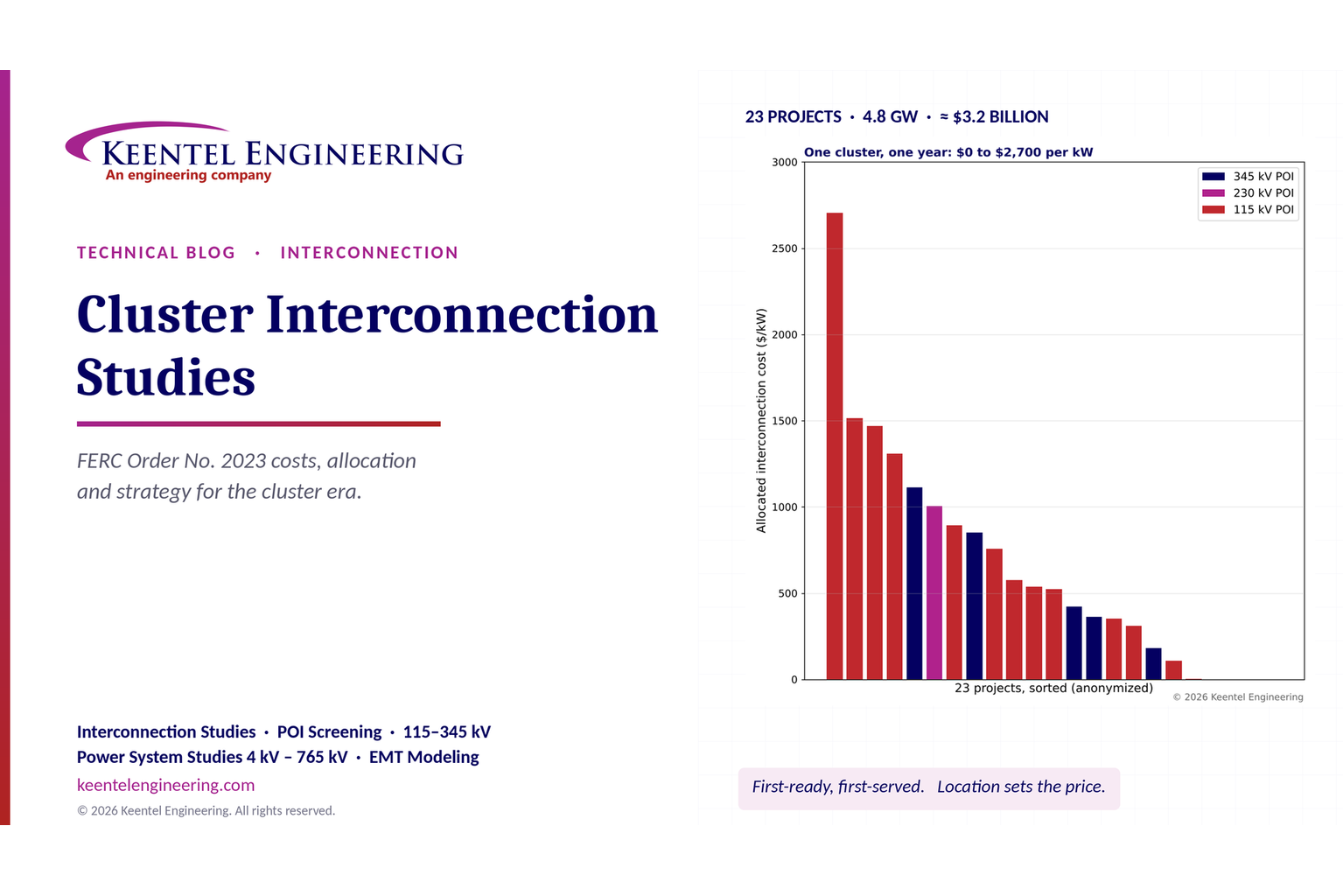
Explore cluster interconnection studies under FERC Order 2023, including network upgrades, cost allocation, withdrawal penalties and developer strategy.
By SANDIP R PATEL
•
October 21, 2026
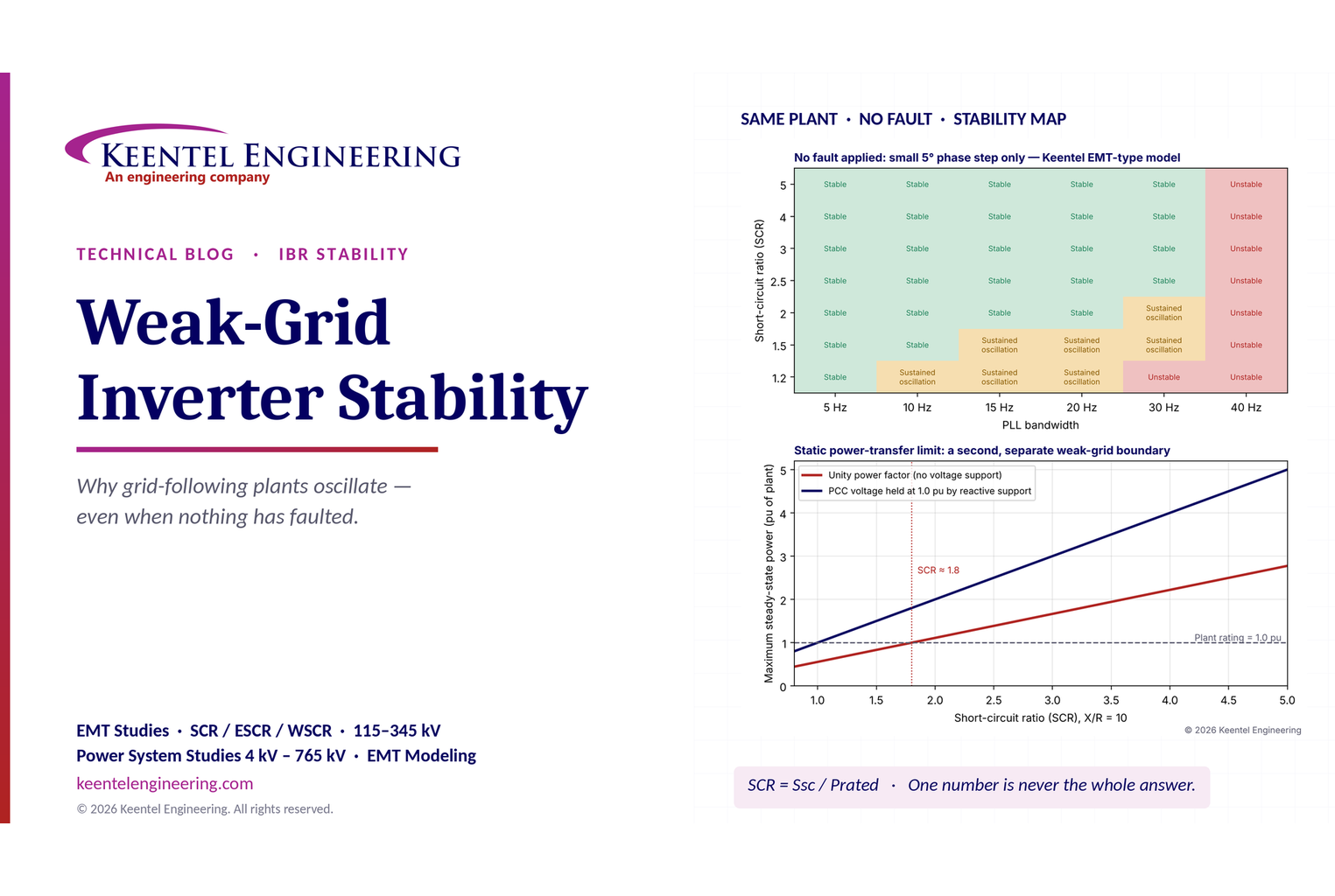
Learn why grid-following inverters become unstable without grid faults. Explore SCR, PLL interactions, EMT studies, grid strength, and mitigation.
By SANDIP R PATEL
•
October 21, 2026
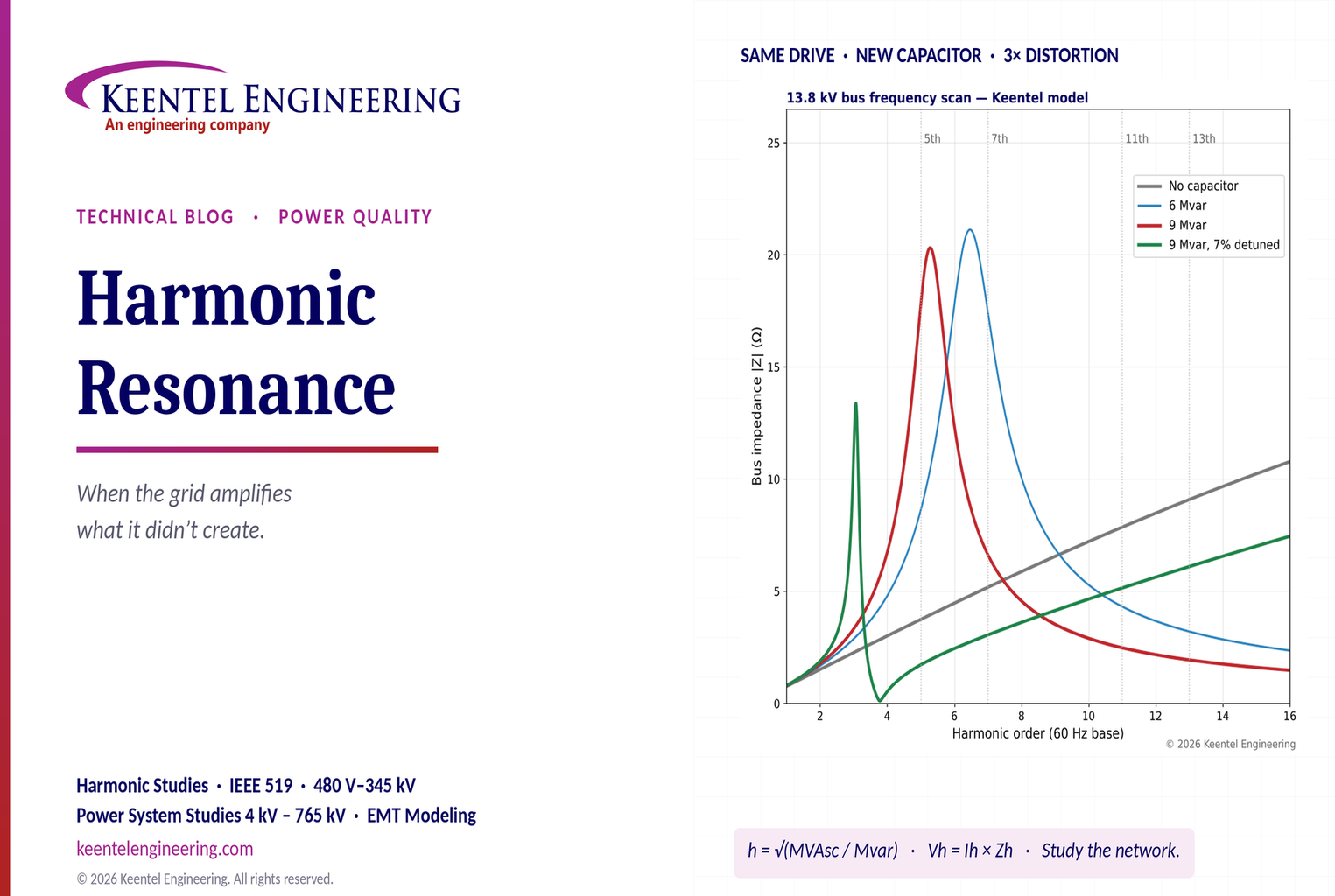
Learn how harmonic resonance amplifies distortion in power systems. Explore capacitor banks, detuned reactors, frequency scans, and IEEE 519 solutions.